Author Archive

How to Optimize Your Website for Google AI Overviews and AI Mode

October 21st, 2026 | Blog

Google now shows AI-generated summaries for many searches, and business owners keep asking the same question: how do we get our website included in AI Overviews? The reassuring answer from Google is that you do not need a separate playbook. Sites that follow strong SEO fundamentals are already doing most of what matters.
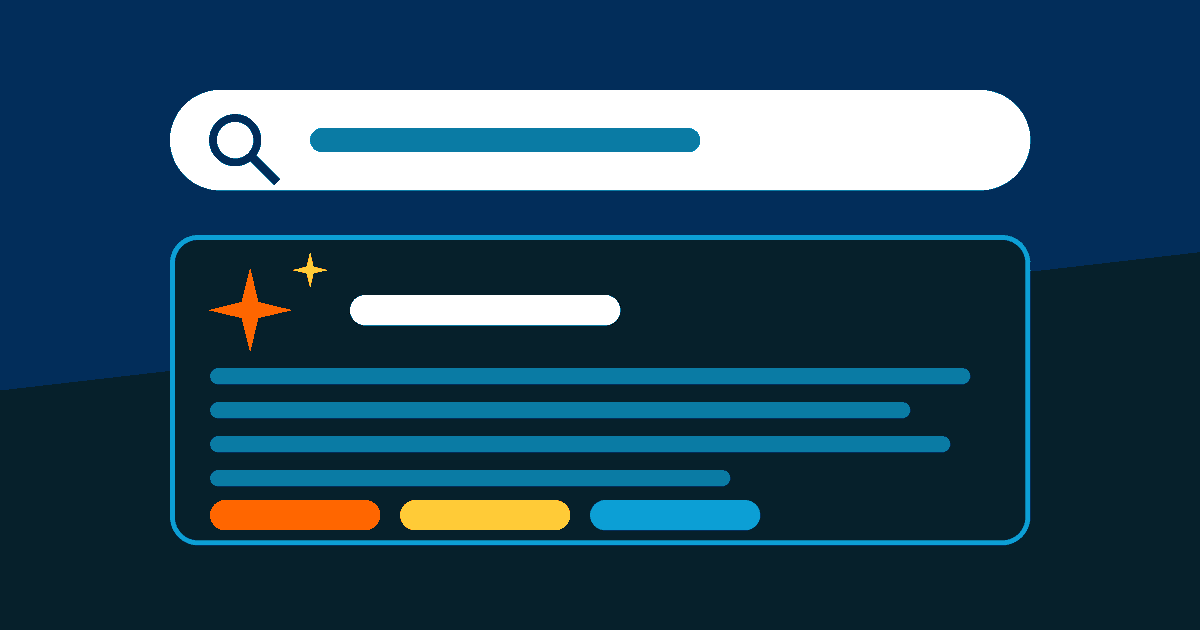
Google search bar with an AI Overviews summary card and source links, illustrating how to optimize a website for AI Overviews

Strong SEO fundamentals help your pages show up in Google AI Overviews and AI Mode.

What Are Google AI Overviews and AI Mode?

AI Overviews and AI Mode are AI-powered features in Google Search. They summarise information and show links to pages that help people explore a topic further. Google says these features may use a “query fan-out” technique, which means running several related searches across subtopics to build a response. As a result, a single page can be relevant to more than one question.

Do You Need Special Optimization for AI Overviews?

According to Google’s documentation for site owners, no specific optimization is required to appear in AI Overviews and AI Mode. The existing SEO best practices still apply, and there is no special structured data you need to add. In practice, that means your priority should be a website that search engines can crawl and index, with content that clearly answers real questions.

7 Practical Steps to Prepare Your Website

1. Make Sure Your Pages Can Be Crawled and Indexed

A page must be indexed before it can appear in any Google result. Check that important pages are not blocked by robots.txt or a noindex tag, submit an XML sitemap, and fix server errors. Our on-page and technical SEO checklist covers these basics.

2. Answer Real Customer Questions Clearly

Think about what your customers actually ask before they buy. Use headings that match those questions and give a direct answer near the top of each section, then add detail. Clear, well-organised content is easier for both readers and search systems to understand.

3. Cover Related Subtopics

Because AI features can explore a topic through multiple related searches, it helps to cover the follow-up questions a reader is likely to have. Build topic clusters instead of isolated pages, and link them together.

4. Strengthen Internal Linking

Google recommends making your content easy to find through internal links. Link related guides, service pages, and blog posts using descriptive anchor text. For example, readers who want a broader view can continue with our guide on how AI is transforming SEO and website optimization.

5. Show Experience and Trustworthiness

Add author details, real examples, case studies, up-to-date facts, and reliable sources. Original, people-first content is more useful than text that simply repeats what is already on the web. If you run a local business, also keep your Google Business Profile accurate and complete.

6. Keep Structured Data Accurate

Structured data is not required for AI features, but if you use it, make sure it matches the visible text on the page. Use markup that fits your content, such as Organization, Article, Product, or LocalBusiness, and test it before publishing.

7. Provide a Good Page Experience

Fast loading, mobile-friendly pages with readable text, compressed images, and descriptive alt text make it easier for visitors to use your content. Good images and clear page layouts also help people trust what they see.

How to Track AI Feature Performance

Google states that sites appearing in AI features are included in the overall search traffic in Search Console. They are reported in the Performance report under the Web search type, so you will not see a separate AI-only report. Compare clicks, impressions, and click-through rate for your key pages over time, and look at conversions in your analytics, not just traffic.

Can You Control How Your Content Appears?

Yes. Google provides preview controls, such as the nosnippet and max-snippet settings, that let site owners limit how much of a page can be shown in Search. Review the current documentation before using them, because limiting previews can also reduce how your page is presented in regular results.

Common Mistakes to Avoid

  • Chasing “AI SEO hacks” instead of improving content quality and technical health.
  • Publishing large volumes of thin or repetitive pages.
  • Adding structured data that does not match what visitors can see.
  • Ignoring conversions and judging success only by rankings or clicks.
  • Leaving outdated information on important pages.

Frequently Asked Questions

Is optimizing for AI Overviews different from SEO?

Google says the best practices for SEO remain relevant for its AI features. Focus on helpful content, technical health, internal linking, and a good user experience.

Do I need special schema markup for AI Overviews?

No. Google states that no special schema.org structured data is required. If you already use structured data, keep it accurate and consistent with the visible page content.

Can I guarantee my website will appear in AI Overviews?

No one can guarantee it. AI Overviews appear only for some queries, and the links shown can vary. The best approach is to build useful, trustworthy pages and measure their results over time.

How can I see if my pages appear in AI features?

Verify your site in Google Search Console and review the Performance report. AI feature traffic is included within the Web search type, alongside your other results.

Final Thoughts

Optimizing for AI Overviews is not about tricks. It is about making sure your website is accessible, helpful, well-linked, and trustworthy. If you build for real customers first and measure results carefully, you give your pages the best chance of being found in every kind of Google search experience.

Not sure where your website stands? Request a free website evaluation or read our SEO guide to learn more.
Talk to Our SEO Team

How AI Is Transforming SEO and Website Optimization in 2026

October 21st, 2026 | Blog

Artificial intelligence (AI) is changing how businesses research keywords, create useful content, improve website performance, and understand customer behaviour. For businesses that want to grow online, AI SEO can make day-to-day work more efficient, but it works best when people remain responsible for accuracy, strategy, and quality.

AI chip with rising SEO growth bars showing how AI improves SEO and website optimization

AI can support SEO and website optimization when guided by human expertise.

What Is AI SEO?

AI SEO uses machine learning and language-processing tools to help analyse search data, identify patterns, organise topics, and improve website content. These tools can speed up research and reveal opportunities, but they do not guarantee higher rankings. Results still depend on relevance, technical accessibility, helpful content, competition, and the experience a page provides.

5 Practical Ways to Use AI for Website Optimization

1. Find and Prioritise Keyword Opportunities

Use AI to group related search queries by intent, discover questions customers ask, and build topic clusters. Validate suggestions with keyword research tools and Google Search Console data. Prioritise terms that match your services and audience instead of targeting every phrase a tool suggests.

2. Create Helpful, Search-Focused Content

AI can help develop article outlines, explain complex topics in plain language, and identify gaps in existing content. Add first-hand expertise, accurate examples, reliable sources, and original insights before publishing. Review every claim and remove repetitive or generic text. The goal is to answer the reader’s question, not simply to publish more pages.

3. Improve Technical SEO

AI-assisted workflows can help interpret crawl reports, flag broken links, review redirects, and identify missing metadata. Confirm findings with a crawler, browser, or server logs before making changes. Include indexability, canonical URLs, XML sitemaps, mobile usability, and structured data in a regular technical SEO audit. Our on-page and technical SEO checklist is a good place to start.

4. Optimise Website Speed and User Experience

Website optimization involves more than rankings. Use performance reports to investigate oversized images, render-blocking resources, unnecessary scripts, and slow server responses. Measure Core Web Vitals and real-user experience where data is available, and read these website performance tips from Google’s John Mueller for useful context. Test improvements on a staging site first, because caching or script changes can affect forms, menus, and checkout flows.

5. Understand Visitors and Improve Conversions

Combine analytics, conversion data, and customer feedback to identify where visitors leave a page or struggle to complete an action. AI can help suggest tests for headlines, calls to action, and page layouts. Run controlled experiments where possible and use measured results, not assumptions, to choose the best version.

AI SEO Best Practices

  • Write for people first and satisfy the search intent behind each page.
  • Fact-check AI-generated statements and seek expert review when needed.
  • Add original examples, practical experience, and trustworthy references.
  • Keep titles, meta descriptions, headings, and image alt text descriptive and relevant.
  • Avoid mass-producing thin pages, keyword stuffing, and unsupported claims.
  • Track organic clicks, qualified leads, conversions, and user experience, not rankings alone.
  • Protect personal and confidential information when using third-party AI services.

A Simple AI SEO Workflow

Start by reviewing Google Search Console, analytics, a technical crawl, and current performance metrics. Choose one meaningful problem, such as an important page with impressions but few clicks. Use AI to explore possible causes, verify them against the data, implement one focused improvement, and measure the outcome over a suitable period. Document what changed so you can repeat what works.

Will AI Replace SEO Professionals?

AI is useful for research, analysis, and repetitive tasks, but effective SEO still requires strategy, judgement, technical knowledge, editorial standards, and an understanding of customers. Businesses get the most value when experienced people use AI as an assistant and remain responsible for final decisions.

Frequently Asked Questions

Can AI help improve Google rankings?

AI can support keyword research, content improvement, and technical analysis, but using AI does not automatically improve rankings. Content and websites still need to be useful, trustworthy, accessible, and relevant to the search query.

Is AI-generated content good for SEO?

AI-assisted content can be useful when it is accurate, original, people-first, and reviewed by someone with relevant knowledge. Automatically publishing large amounts of unhelpful or repetitive content is a poor strategy.

Which SEO tasks should I automate first?

Start with repeatable, low-risk tasks such as clustering keywords, summarising crawl findings, generating content briefs, and monitoring reports. Keep human approval for publishing, technical changes, and claims that require verification.

Final Thoughts

AI SEO can make website optimization more efficient when it supports a clear goal and a data-led process. Focus on helpful content, a technically sound website, fast and accessible pages, and measurable business outcomes. Use AI to support, not replace, human expertise.

Want an expert review of your website? Get a free website evaluation or explore our SEO plans and pricing.

Talk to Our SEO Team

Google Business Profile: A Complete Guide for Local SEO

March 6th, 2024 | Blog

Are you a small business owner? Want to optimize your business locally? The simple hack is creating Google Business Listing. However, creating a business profile is simply not enough. Well, you need to strategically input the management skills and editing techniques to make the local SEO efforts more effective!

So, how to gain management over GBP? Apart from creating a free business profile, you need to separately create a few Google My Business account!

This beginner guide provides end-to-end instruction of the GBP technique. So, business owners read the full blog and scale up your local business.

What is Google business profile?

Google Business Profile is a powerful SEO tool that enables you to manage and optimize your business profile on Google. Well, it is one of many important business directory listings.

To put it simply, business profiles appear in Google Maps and in local results of Google searches. By logging in to your business profile you can manage the details of your business. Creating a business profile is the same as adding a place to Google Maps. You will need a business name, location, and category. Once Google confirm the authentication they will create a business profile at that location.

Google Business profile is probably one of the best local SEO strategies that an eligible local business can use to improve its SERP. Well, claiming Google Business Profile is the primary step you should optimize, check, and update with new information for potential customers.

In addition, many businesses do not realize Google can make changes to the GBP – including address changes, updating business hours, and uploading photos and reviews.

Therefore, a Google Business Profile is a community profile – anyone can contribute to your Google Business Profile. In fact, Google encourages user-generated content including photos, videos, and reviews.

To improve your business reputation and increase local reach it is crucial to check your Google Business Profile to ensure there are no incorrect changes made to your profile. Also, keep an eye on Google Business Profile Updates 2024.

How do set up a Google business profile?

You can establish a Google My Business profile from your Smartphone. This tool helps you to enhance business visibility and boost effectiveness. Type ‘Google My Business’ on the search bar add your business details and wait for authentication. It only takes a few minutes to approve the profile.

Here’s how to use GBP for local marketing:

Engage with consumers

You will get various ways to interact with your customers from your business profile. You can also respond to reviews, enable direct messages, and set up alerts. In fact, you can also upload public posts just like social media platforms.

Highlight your business

A business profile does not show all the information your potential customers would look for! Using the GMB dashboard you can provide links to your website, product, pricing, attributes, and other details based on your unique business need. You can also use it to make edits and updates.

Improve insight

It is a great way to gain key insight into your audience and local search performance. You can find out the customer queries and a breakdown of the actions taken on the listing.

To make the most of the Google Business profile it is crucial to incorporate relevant keywords into the profile. However, make sure to incorporate them naturally as a part of a smart SEO strategy!

Why Google’s guideline is crucial?

If you have a Google Business profile you are playing on Google Playground! Hence, you need to follow the guidelines – otherwise, your profile will be suspended! You should also keep in mind that your competitor’s business profile would also qualify for GBP.

It is ideal to check the guidelines thoroughly once every three to four months. This will help you to make sure there are no changes to the guidelines that could impact your business profile. A small mistake can result in your business suspension. Hence, it is better to be informed of the rules.

How to manage a Google Business profile?

Use Google Business Profile Manager

If you are managing a multi-location business or you are an agency that manages multiple client locations – it is ideal to log in to the GBP manager dashboard.

With GBP Manager, you can easily manage multiple profiles in one dashboard. In fact, you can also manage multiple locations from Google Maps on your Smartphone.

Manage GBP directly from the search

In case, your business is in only one location – it is easy to manage GBP from the place. Apart from using your computer all day long – you can also manage it from Google Maps on your smartphone.

Wondering how to manage your profile from Search?

If you are logged in with your Gmail address – type in your business name in the search bar and your business profile and GBP merchant panel will appear.

You can also type ‘my business’ on the Google search bar and the merchant panel will show up. For a quick update, you can also manage your GBP listing on the Google Map application. In that case, you have to manage your business profile click on your picture, and click your business profile.

You will get the GBP merchant panel that would look almost identical to the desktop version. Tap on the ‘more’ or ‘less’ arrow to expand the options available to you!

Remember that the options you get in the merchant panel are category-specific – you can also find other features available.

If you manage multiple GBP – you can find these profiles by simply clicking on the top areas and getting the details of how to manage those profiles. It will open a list of all the GBPs you manage.

How to Optimize your Google Business Profile?

Have a look at the few things you can practice to optimize your Google Business Profile.

To start with, first, go to ‘Edit Profile to edit the main company information. Here, you can add and change information like category, description, opening date, hour, and more. Here, you should strictly follow the Google guidelines.

Target information

It is very crucial to include relevant keywords in your business profile if you want to improve SERP. Also replies to customer reviews and regular posting help in boosting your Google Business Profile.

Maintain quality information

Since every business has its Google Business Profile, you need to make sure yours is the best! The completeness and accuracy of the information impact the raking. Hence, make sure to provide the required information from the dashboard.

Build trust

It sincerely appeals to the trust component of Google’s algorithm. Make sure to keep the information updated and update the accurate business changes. Also, make sure you are genuinely active by regularly posting photos to the business profile.

Remember creating a Google My Business account does not give access to your business profile. After creating a Google My Business account you need to locate the separate business profile on Mal and select “own this business” or “claim this business” Link the right profile and go on! After completing the process, your GMB account will be connected with the GBP profile under your management.

The bottom line

Since SEO is very crucial for your business you should not take it easy! For any small business local targeting is the game changer. Google makes local SEO even easier with a robust business profile. Hence, a Google Business profile is essential to maximize visibility in the local market.

With a clear understanding of Google My Business how it works and how to use it – you can use the free tool for best local marketing results.

Top SEO Checklists for On-Page & Technical SEO In 2024

March 6th, 2024 | Blog

This guide covers all SEO aspects including technical SEO, on-page SEO, and Keyword research. There are some best strategies that define the roadmap of successful SEO. Well, it works for e-commerce stores, Shopify sites, and local businesses as well.

Read on to learn more about the checklist for on-page SEO and best meta tag practices to ensure the site structure matches your optimization effort.

And the best part? In case you are struggling with higher Google ranking in 2024 – you will love the checklist!

Why use an on-page SEO checklist?

Doing SEO is like conducting a symphony. There are endless SEO activities taking place across every website. Be it on-page or technical – it contributes to the larger success of the website. Just like a special formula – the best consultant and agency use an SEO checklist, templates, and other project management documents to make sure everything is on track.

Over time, the medium of SEO checklist has evolved into a complex and dynamically generated interface within the CMS system. It also offers AI functionality and integration with several tools.

The versatility of the strategy suggests it can be reworked to suit the requirements. For the sake of versatility – there are three high-level SEO checklists to elevate your brand’s website.

Managing shared documents

If you are in the industry, you must be familiar with using spreadsheets to keep track of the SEO progress. With the advancement of technology, we have the ability to leverage shared SEO. Well, this can be easily transferrable – complex and simple as required!

Real-time SEO

This is the new-generation SEO checklist – the dynamic one! The dynamic SEO checklist updates content in real time.

It also means whenever a change is made to the website – you will get a series of next steps to execute – it helps your content rank!

AI-powered SEO checklist

With the help of artificial intelligence, you get a dynamically generated checklist that helps to execute the SEO workload.

In fact, this type of list can also help to carry out the list itself, using AI inputs. Once they are generated – one can add and tick them off your list – in the CMS directly.

This way you can also increase usability significantly.

Implementing the SEO checklist

If you are not already using the SEO checklist to manage the workload – you should follow the listed style:

Increase profitability

If you own an agency or an account manager – the checklist can be efficient since it can be reused and adapted for every client.

This can also save your time on research and development – to make it available to clients and staff.

In fact, the checklist for SEO tasks can also help with more efficient onboarding for new clients and help you expand the offering and improve client satisfaction.

By using advanced and automated tools, the managers can upload client checklists, templates, and video tutorials directly to the CMS dashboard.

It also means the materials for client success are easily accessible to everyone working on the site – for all time.

If you manage a team and create a framework for SEO account management – it can help you retain clients for the long term. The more efficient your SEO agency would be the the more opportunity you will be able to deliver with high-value outcomes and increased profitability.

Make knowledge more accessible

Make templates and checklists highly accessible to the juniors and even to the clients. you should also help your team to accomplish goals and this checklist can also serve as a knowledge base and help your team grow! On the other hand, this approach helps to drive visibility on the SERP.

Work on quality assurance

It is wrong to assume that amateur SEO specialist only uses on-page SEO checklists. For any seasoned SEO, a checklist serves as a means to maintain the quality of implementation while working with multiple teams and stakeholders.

Experienced SEO professionals maintain a checklist to ensure consistency of delivery while handling day-to-day tasks. In fact, according to SEO specialists, if you maintain a checklist and templates it becomes a lot smoother to transfer knowledge and experience.

Spruce up technical SEO efforts

Update page experience

Any new page experience signal combines core web vitals with the existing search signal. It includes:

  • Mobile-friendliness
  • Safe-browsing
  • HTTPS security
  • Intrusive guidelines

What defines Google’s Core web vitals? It is comprised of three factors; let’s have a look:

  1. First input delay: FID measures when people can interact with the page. To ensure a good user experience it is important to maintain the FID less than 100 ms.
  2. Largest contentful paint: LCP defines the loading experience of the largest contentful element on the screen. It happened within 2.5 seconds to offer a good user experience.
  3. Cumulative layout shift: CLS measures the visual stability of elements on the screen. Businesses should work on maintaining CLS of less than 1 sec.

One needs to measure the ranking factors in the Google Search Console. It highlights which URLs have potential issues.

You can avail of various ranges of tools to improve site speed and Core Web Vitals. Check tools like Google PageSpeed Insights to find out all the details. In addition, you can also check how different pages of your site are performing at various locations, operating systems, and devices.

Have a look at the level of optimization you can make to improve website speed:

  • Implement lazy-loading for non-critical image
  • Optimize image format for browser
  • Improve JavaScript performance
  • Find out the crawl errors

You need to make sure your site is free from crawl errors. It happens when a search engine tries to reach your website and fails.

Using online website crawl tools you can locate these issues. Once you crawl the site you can find out the crawl errors. Well, you can also check it with Google Search Console. You need to implement all the redirects with 301 redirects.

Go through the 4xx and 5xx error pages to find out where you want to redirect them

For better results, you should also look for i8nsance to redirect the chain or loop where the URL is redirected multiple times

Fix broken links

It is one of the crucial checklists for one-page SEO. Poor link causes poor user experience for your potential customers and search engines. Well, it can be frustrating for people to click any link and that doesn’t take them to the correct URL.

Here you should take a look at a couple of factors:

  • Links that are 301 and 302 redirect to another page
  • Links that go for the 4XX error page
  • Orphaned pages (pages without any external and internal link
  • The internal linking structure that is too deep

In order to fix broken links, it is important to update the target URL or remove the link altogether.

Avoid duplicate content

Content is the King. It determines the ultimate result of your SEO efforts. Hence, make sure there is no duplicate or thin content on the site. It can be caused by many factors like:

  • Page replication from faceted navigation
  • Scraped and copied content
  • Having multiple versions of your site live

You must allow Google to index one version of your site.

Migrate your site to HTTPS

Back in 2014, Google announced HTTPS protocol was a ranking factor. Now, after a decade, if your site is still HTTP – it’s time to make a switch. It helps to protect your visitor data and ensure the data is encrypted. It helps to avoid hacking and data leaks.

The bottom line

Even small changes in your website can cause site health fluctuation. In fact, new pages, site migration, and redesigns do not always transfer over crucial SEO aspects like schema markup, robots.txt, and sitemap – hence, it’s better to move them to places where Google would not recognize them.

SEO strategists who are using formats of Google Sheets and MS Excel can only benefit from generative native applications and enhancement in the AI workspace race. In 2024, it’s time to see data-driven, AI-crafted guidance from the checklists to become more common. It’s better to download checklists, templates, and toolkits to develop a smoother SEO process and ramp up productivity.

Google Unveils Enhanced Shopping Features and Price Insights

March 6th, 2024 | Blog

Google recently introduced a new shopping feature that is powered by the extensive Google Shopping Graph, a comprehensive dataset of global shopping information. In addition to this, Google has made several updates to its Chrome browser, making it more shopping-oriented.

Back in the late 1990s, web portals were all the rage, with AOL being a prime example. However, they gradually fell out of favor as Google introduced its simple search box, doing away with the clutter typical of web portals at that time.
While Google doesn’t explicitly label it as a shopping portal, their new search feature aligns with the concept. It aggregates shopping information from across the internet, making it easily navigable for users.

Google has also revamped Chrome for both mobile and desktop, transforming them into more shopping-centric web browsers. Among the noteworthy features are the ability to bookmark products to a shopping list folder, and the introduction of “price insights” on the desktop version of Chrome.

Google cites that eight out of ten shoppers are concerned about finding the best deals on holiday gifts. The objective of these new features is to offer users a broader range of deals on the products they seek.

Here are some of the new features that Google is rolling out:

  • Search Enhancements Powered by the Google Shopping Graph
  • A New Deals Page on Google Search
  • New Features on Chrome for Discovering Discounts Across the Web
  • A New Price Insights Tab in the Desktop Version of Chrome
  • Additional Tools for Tracking Prices Across Different Merchants for the Same Products

New Google Search Deals Destination

To access this new shopping feature, users can search for “Shop Deals,” which leads them to a fresh search destination tailored for shopping deals. This destination resembles a portal and enables users to find the best prices on products across ten categories. These deals encompass markdowns, sales, and promotions in categories such as electronics, apparel, home and garden, toys, sports, health and beauty, travel, baby products, and pet supplies.

The Shop Deals page is structured as follows:

  • A navigational menu offering access to ten shopping categories.
  • A carousel of deals provided by specific stores.
  • A listing of specific deals organized by more specific shopping subcategories.

Users can click on “More categories” to discover additional shopping options. The carousel of deals is personalized based on the user’s preferences, and it highlights popular stores with deals on the user’s preferred products.

New Shopping Features on Chrome Mobile & Desktop

Opening a new tab on Chrome will display deals on products users have recently shopped for, thanks to the “resume browsing” card. Additionally, a new “Discount tag icon” in the Chrome address bar informs users of available coupon codes on the shopping sites they visit. Merchants can manage where these coupon codes appear through their Merchant Center settings.

Shopping Insights Feature

Google is introducing the Chrome Shopping Insights feature to the desktop version. When available on a shopping site, a “Shopping insights” label appears in the Chrome address bar. Clicking on it opens a side panel with a new section displaying typical prices, a price history graph over the last 90 days, and an option to track price drops from various ecommerce stores offering the same product.
Google’s Price Insights support page explains this feature in detail, outlining how it assesses a product’s typical price and price changes based on data from sellers across the web, not just from Google Shopping.

Shopping Bell for Discount Notifications

In mobile Chrome, a shopping bell icon now appears next to product names. This icon sends price alerts to users if the price of a product drops on any retailer’s site, not just the retailer currently being browsed.

Key Takeaway

Google’s core mission is to organize the world’s information and make it universally accessible and useful. In a world where eight out of ten consumers are concerned about the prices of holiday gifts, these new shopping features align perfectly with that mission. While some merchants may have reservations about Google directing their shoppers to other retailers, it underscores the importance of building strong relationships and trust with consumers so that they prefer to shop with a trusted merchant.

Tips for Enhancing Website Performance: Insights from Google’s John Mueller

March 6th, 2024 | Blog

In a recent discussion on Reddit, Google Search Advocate John Mueller shared valuable guidance on optimizing website performance and the challenges of improving Google’s PageSpeed Insights (PSI) scores.

The Reddit thread in question involved a user who sought advice after making substantial reductions in image and video file sizes, but without the expected improvement in PSI scores. Despite compressing images by 90% and videos by 80%, the user found their website’s speed score remained unchanged.

For context, PageSpeed Insights is a free tool provided by Google to assess the loading speeds of web pages. It examines various elements such as images, scripts, and code to generate a score on a scale from 0 to 100 and offers suggestions for performance enhancements.
Given the significance of page speed in the realms of search engine optimization (SEO) and user experience, achieving a high PSI score is a priority for many website owners and developers.

John Mueller’s PSI Optimization Tips

Mueller recommends several strategies to boost PSI scores effectively:

  1. Conduct Individual Element Tests: To improve your PSI scores, Mueller suggests running tests to understand the impact of individual elements on your website’s performance. You can create a test page with one component, such as an image or video, and exclude it from search results using the noindex tag.
  2. Isolate Specific Changes: By isolating specific changes on the test page, you can measure their individual effects before implementing them across your entire website. This controlled experiment can reveal the performance gains achieved through compressed files.
  3. Identify Limiting Factors: If your test page doesn’t yield the same score as your live pages, it indicates that other factors are limiting performance. In such cases, Mueller recommends selectively removing elements that have already been optimized from a copy of the actual page to focus on enhancements for the remaining issues.
  4. Consider Acceptable Scores: It’s important to note that your website’s current scores may already be within acceptable parameters. If your page speed falls within a “reasonable” range, extensive additional work may not be necessary. While Mueller doesn’t specify what these parameters are, it’s essential to assess whether further optimization is truly required.

Takeaways

Enhancing website performance often involves incremental testing and a patient approach. When aiming to improve your PageSpeed Insights scores, consider isolating webpage elements to evaluate their impact before implementing changes across your site. By tailoring your strategies to your website’s unique requirements, you can achieve and maintain favorable performance scores.

Remember, optimizing website performance is an ongoing process, and with the right tactics, you can ensure that your scores remain in the green zone, ultimately benefiting your SEO and user experience.